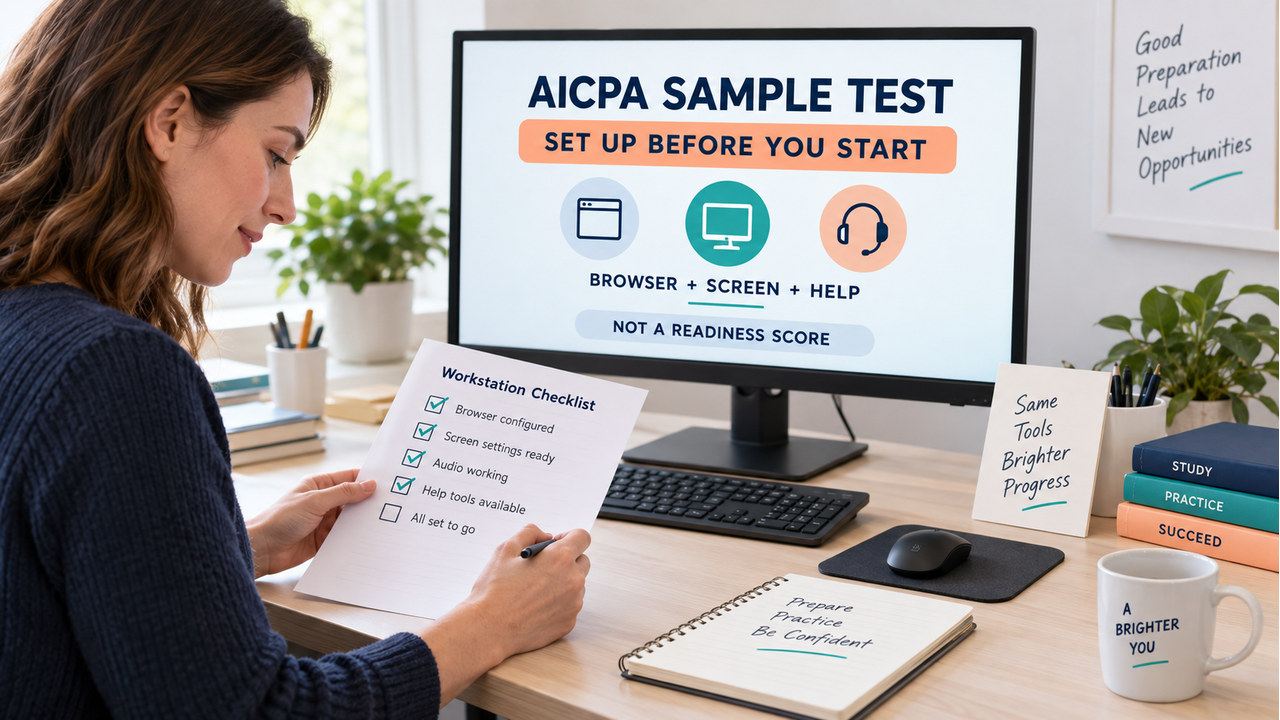

Quick answer: the AICPA sample test is a free, web-based software-familiarization tool for practicing the interface before test day. Before you start, check your browser and internet connection, use a readable screen, rehearse zoom and Help, and remember that the sample is not scored or a readiness determination.
Additionally, this AICPA sample test guide adds six original setup checkpoints. They cover the decisions that can make a session feel harder than it is: browser choice, display size, zoom, right-click behavior, Help tools, and answer visibility.
In other words, use the official tool to learn the environment. Use the setup record and checkpoints here to decide what to rehearse next; do not turn a device problem into a content judgment.
AICPA Sample Test: What It Is—and What It Is Not
First, the official AICPA sample test is a shorter version of the Exam that uses software similar to what you experience in a test center. For example, the AICPA page says it includes AUD, FAR, REG, ISC, BAR, and TCP, allows up to two hours, and lets you see correct answers.
However, the same page sets important limits. The AICPA sample test is not scored, does not determine readiness, and may not operate exactly like CPA Exam Driver. As a result, its content is marked current as of July 1, 2023, so revisit the live source before relying on a detail after a software or Blueprint change.
In addition, the FAQ adds a useful structure note: the sample contains two multiple-choice testlets and three task-based simulation testlets, plus tutorial topics available through the Help button. That is enough to rehearse navigation; it is not a reason to invent a pass line.
AICPA Sample Test Computer Setup: Browser, Internet, and Screen
First, treat setup as a short experiment. Meanwhile, the FAQ says the sample is web-based, requires an internet connection, and works on most devices and operating systems. If you run into trouble, AICPA recommends using the most recent Chrome browser on a desktop HD monitor.
| Check | Official boundary | Your action | Record |
|---|---|---|---|
| Browser + connection | Web-based; internet required | Close unrelated tabs and load the tool before the session | Load, lag, or login friction |
| Display | 23-inch HD 1920×1080 is recommended for a similar view | Use the clearest available screen before changing content study plans | Text, scroll, or crop friction |
| Tool orientation | Help contains tutorial topics | Find Help before attempting a timed orientation | Tool or navigation friction |
Therefore, a clean setup log protects the interpretation of everything that follows. If the page is hard to read or slow to load, record that condition before you decide that the content itself is the problem.

AICPA Sample Test Display Check: Resolution, Zoom, and Scrollbars
Similarly, the FAQ recommends a 23-inch HD 1920×1080 monitor for an experience similar to a Prometric test center. That is guidance for realism, not a rule that makes every other screen invalid. The sample may run on a smaller display, but scrollbars can appear below the suggested resolution.
Next, when the page does not fit, the FAQ says you can zoom out with Ctrl-minus on a PC or Command-minus on a Mac. However, a smaller view may remove scrollbars, yet smaller text can make reading harder. In practice, write down both the setting and the consequence.
For example, “Command-minus removed the horizontal scrollbar but made spreadsheet text too small” is a useful observation. “The sample felt difficult” is not. Then, fix the display condition; after that, decide whether a content review is still needed.
AICPA Sample Test Accessibility and Help Tools
Next, locate the Help icon before you start answering. The FAQ says tutorial topics are available through Help, and AICPA also recommends viewing a tutorial video to learn the software’s tools and functions. Consequently, Help becomes part of the rehearsal, not a sign that you should already know every control.
Also, keep accessibility questions in the official path. If you use a testing accommodation, follow the AICPA instructions for the applicable sample-test experience and record what you verified. Do not infer an accommodation decision from a local setup session.
Also separate sample behavior from test-center behavior. The FAQ notes that right-click opens a context menu in the sample, but that function is not available at Prometric. A feature that works during practice can therefore be a deliberate boundary, not a promise about test day.

AICPA Sample Test: Six Original Setup Checkpoints
Before answering, note that these six questions are original practice content written for this page. They test setup and interpretation decisions, not published AICPA item text. Read the skill, assumptions, and difficulty, choose an answer, and only then open the reveal.
1. Identify the Purpose Before You Click
Tested skill: distinguish software familiarity from readiness testing. Assumptions: a candidate has never used the current exam-style interface. Difficulty: foundational. Original practice question: What is the most defensible first purpose for the AICPA sample test?
- Generate an official scaled score
- Learn the software and test-center style tools
- Prove every current topic will appear
- Replace the current Blueprint
Reveal answer and reasoning
Answer: 2. Therefore, the official resource is a shorter software-familiarization version. Use it to reduce navigation surprises, not to create a readiness percentage.
Key distractor: Choice 1 gives the tool a scoring role that the AICPA page expressly denies. Next action: write down two controls you want to find before starting.
2. Match the Browser and Connection Setup
Tested skill: apply the FAQ’s browser and connection guidance. Assumptions: a candidate can choose between a crowded old-browser session and a clean recent-browser session. Difficulty: foundational. Original practice question: Which setup is the better first choice?
- Use a recent browser, a stable internet connection, and close unrelated tabs
- Disconnect from the internet after the first page loads
- Use the oldest browser because the sample is only a local quiz
- Keep many video tabs open to simulate pressure
Reveal answer and reasoning
Answer: 1. In addition, the FAQ says the sample is web-based and requires internet; it also recommends the most recent Chrome browser on a desktop if issues occur. Therefore, reduce avoidable setup noise before judging the tool.
Key distractor: Choice 2 conflicts with the web-based requirement. Next action: run a one-minute load check and record any lag separately from question difficulty.
3. Use Display and Zoom as Setup Variables
Tested skill: interpret resolution and zoom guidance without turning it into a score. Assumptions: the candidate sees scrollbars on a smaller display and considers zooming out. Difficulty: foundational application. Original practice question: What is the best next move?
- Change the display or zoom, then record readability before reviewing content
- Call every scrollbar a content error
- Estimate a passing score from the number of visible fields
- Ignore text size because a smaller view is always better
Reveal answer and reasoning
Answer: 1. Similarly, the FAQ recommends a 23-inch HD 1920×1080 monitor for a similar view and notes that zooming out can remove scrollbars while making text smaller. Thus, treat display settings as an observed condition.
Key distractor: Choice 4 ignores the readability tradeoff. Next action: record the setting that made the page clearest and repeat one tool action.
4. Separate Sample Right-Click From Prometric
Tested skill: keep practice behavior separate from test-center rules. Assumptions: a candidate right-clicks during the sample and sees a context menu. Difficulty: foundational application. Original practice question: What should the candidate conclude?
- Right-click will work the same way at Prometric
- The sample is useless because it contains any difference
- The sample demonstrates a practice feature that is not available at Prometric
- The context menu proves the candidate is ready
Reveal answer and reasoning
Answer: 3. In contrast, the FAQ says the context menu appears in the sample but is not available at Prometric centers. Therefore, note the difference instead of assuming the practice feature carries over.
Key distractor: Choice 1 mistakes a familiarization tool for a complete test-center simulation. Next action: write “sample only” beside the right-click note and rehearse the permitted alternative.
5. Use Help and Testlet Information Correctly
Tested skill: use official tool guidance for a rehearsal plan. Assumptions: a candidate wants to practice the interface before attempting a longer session. Difficulty: foundational application. Original practice question: Which plan uses the available information correctly?
- Open Help, review tutorial topics, and rehearse one tool before the session
- Skip Help so the local result becomes a readiness test
- Assume two MCQ and three TBS testlets are an official score formula
- Replace the Blueprint with the Help menu
Reveal answer and reasoning
Answer: 1. For this reason, the FAQ says tutorial topics are available through Help, and the sample has two multiple-choice and three task-based simulation testlets. Those facts help you plan software rehearsal; they do not create a score formula or scope substitute.
Key distractor: Choice 3 confuses testlet structure with scoring. Next action: choose one Help topic and repeat its related control from a blank page.
6. Interpret Visible Answers Without Inventing Readiness
Tested skill: use answer visibility for learning without claiming official validation. Assumptions: a candidate can see correct answers after attempting the sample and wants to decide what to study. Difficulty: foundational application. Original practice question: What is the strongest record?
- Copy the answer and label the session a pass
- Ignore the answer because it cannot teach anything
- Record the reasoning or tool gap, then choose one targeted rehearsal
- Convert the visible answers into a CPA score estimate
Reveal answer and reasoning
Answer: 3. Finally, the AICPA page says correct answers are visible but the sample is not scored and does not determine readiness. Therefore, record what failed—reading, tool use, display, or concept—and choose the matching repair.
Key distractor: Choice 1 treats answer visibility as an official result. Next action: write one sentence explaining the miss before opening another item.
AICPA Sample Test Setup Record: What to Do With Friction
After the session, record conditions before conclusions. The bands below are editorial study rules created for this page; they do not mimic an AICPA score. Next, identify the observation, then use the next action.
| First observation | Repair | Why |
|---|---|---|
| Browser or connection lag | Repeat a clean load check | Remove technical noise before content review |
| Text, crop, or scrollbar friction | Adjust display or zoom and repeat one tool | A view problem is not automatically a knowledge gap |
| Tool or boundary confusion | Open Help and write the sample-versus-center limit | Practice features do not all transfer to test day |
AICPA Sample Test Follow-Up: One 15-Minute Repair
Next, spend three minutes rereading the first friction note, five minutes fixing the condition, five minutes repeating one related tool action, and two minutes recording what changed. For example, browser or connection friction means a clean load check; display friction means a clearer view; tool friction means Help and one rehearsal; interpretation friction means restating the official boundary.
For a broader preparation sequence, continue with our CPA Exam Study Guide. In addition, keep the AICPA sample-test log separate from any question-bank score report.
FAQ: AICPA Sample Test
What is the AICPA sample test for?
In short, it is a shorter software-familiarization version of the Exam. It is not a complete section, a score report, or a readiness determination.
Do I need a 23-inch HD monitor?
However, no. The FAQ recommends a 23-inch HD 1920×1080 monitor for a more similar test-center view; the sample is web-based and works on most devices and operating systems.
Why do scrollbars appear?
As a result, the FAQ says they may appear below the suggested resolution. Zooming out can help, but smaller text can make reading harder, so record the tradeoff rather than calling it a content miss.
Does right-click work like it does at Prometric?
In contrast, the FAQ notes that a right-click context menu appears in the sample but is not available at Prometric test centers.
Can I use the sample result as a readiness score?
Finally, no. The AICPA sample-test page says it is not scored and does not determine readiness. Use the result to rehearse tools and identify the next review action.
Sources and Originality Note
Checked September 15, 2026. AICPA supplies the sample-test and FAQ boundaries. Meanwhile, the current Blueprint is the scope reference. The six checkpoint stems, choices, explanations, setup bands, friction taxonomy, and practice boards are original to this page. US Semrush Volume, KD, and Intent were not fabricated; refresh the workbook row before a human publish decision.
- AICPA sample tests — purpose, section coverage, two-hour boundary, answer visibility, and non-score note.
- AICPA CPA Exam FAQ — browser, connection, display, zoom, Help, testlet, and right-click guidance.
- AICPA CPA Exam Blueprints — current exam scope and skills reference.
- NASBA CPA Exam — process and jurisdiction reference for questions outside the setup session.
Update owner: CPA Exam Prep content team. Revisit the live AICPA pages after any sample-test interface, accommodation, or Blueprint change.