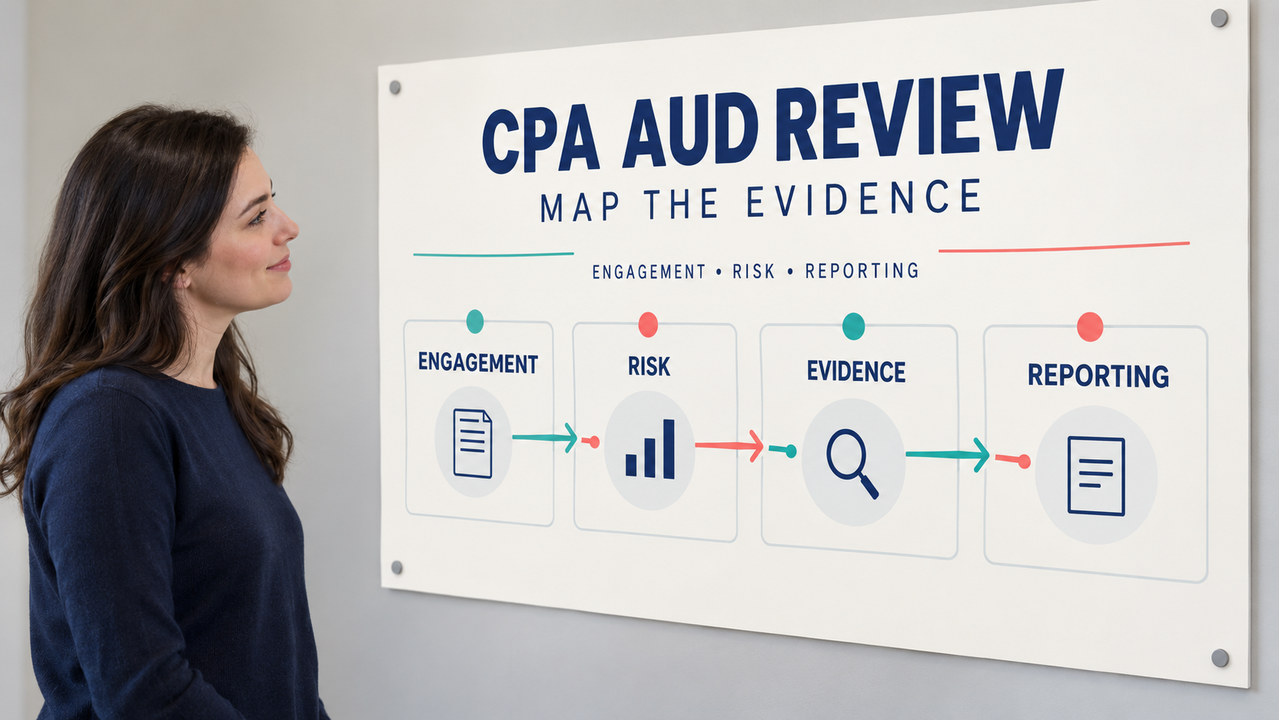

Direct answer: A useful cpa aud review is a route from the current Blueprint to one AUD task, the evidence that supports it, targeted MCQ or TBS practice, and a logged next action. Start with four areas—engagement, risk and controls, evidence, and reporting—then choose the first area where your explanation or application breaks.
Scope and originality note: This is an original editorial section guide for US CPA candidates. The editorial team wrote the map, study route, resource-selector method, and diagnostic checklist for this page. This page is not an official, recalled, leaked, provider-owned, or score-predictive exam guide. The editorial review role covers scope mapping and source QA. It does not assert a personal licensure claim.
Use the AICPA CPA Exam Blueprint as the scope checkpoint and the current AICPA AUD resources for the subject boundary. Use the Blueprint-format explainer to read Area, Group, Topic, task, and skill fields, then choose topic-based MCQ practice or TBS practice for the next application block. Administration questions belong with the NASBA FAQ.
CPA AUD review: who this page is for
This cpa aud review page is for a candidate who knows AUD contains many familiar terms but needs a usable way to decide what to study next. It is a section landing page, not a second textbook. The goal is to orient the review, map the major work, and send the learner to one specific practice or source action.
Route each AUD question through four checks. Name the conclusion first. Then identify the risk, the evidence, and the way the team should communicate the result. This chain connects professional responsibilities, controls, evidence, and reporting. It also keeps each chapter tied to a decision.
Use an AUD review compass
Use four review directions as a compass. Each direction has a different study job, so the next resource should match the field that is weakest rather than repeat a general overview.

Engagement: purpose and responsibility
Start by naming the engagement or service and its conclusion. Check professional responsibilities, independence considerations, acceptance or continuance facts, and the boundary between an audit, review, compilation, or other attestation work. Ask, “What responsibility or conclusion does this fact activate?”
Risk and controls: what could go wrong?
Translate the client fact into a risk and then identify the control or response that addresses it. Keep the direction visible: a control description is not automatically evidence that the control operated, and a control test is not the same as a substantive procedure. When systems or service organizations appear, record what the report or control evidence can and cannot establish for the engagement.
Evidence: what supports the conclusion?
For each procedure, write the assertion or objective, the evidence obtained, and the limitation that remains. Compare relevance, reliability, sufficiency, and appropriateness rather than memorizing a ranking without context. Choose confirmation, observation, inspection, analytical procedure, or recalculation after you state the risk and desired conclusion.
Reporting: how should the team communicate the result?
Reporting questions ask you to connect the work performed and unresolved matters to the correct opinion, conclusion, communication, or modification. Record the condition, its effect on the report, and the information the team must communicate. Identify the evidence or scope issue before you choose a report label.
Map one Blueprint row into practice
Use one current Blueprint row to build a small practice loop. Select the Area, Group, and Topic; rewrite the task statement as an action; decide what proof would show the action; complete one MCQ or TBS; and log the first gap.

- Select one row: save the current Area, Group, Topic, task statement, skill level, and reference.
- Name the task: use a verb such as assess, evaluate, determine, communicate, or document.
- Choose proof: define the evidence, calculation, document, or reporting decision that would show progress.
- Practice: use topic-based MCQs for recognition and short TBS work for application when the task demands it.
- Log the gap: classify the first break as knowledge, reading, evidence choice, calculation, or reporting transfer.
This route prevents a common review failure: completing many questions without naming the task statement they test. It gives the next session a concrete starting point. Keep the row and error label together.
Keep one row in view until the loop closes. One row defines the scope. A task verb names the work. Its proof field names the evidence. Practice reveals the first break. Your error log records the repair. This sequence also helps you compare sessions. If the same gap returns, change the fact pattern or response format before you add more volume. If the gap disappears, move to the next row with the same evidence standard.
Build a four-pass AUD study route
Pass 1 — scope: read the current Blueprint and mark the AUD rows that you cannot explain in plain language. Save the effective date and the source route.
Pass 2 — framework: connect each row to purpose, risk, evidence, and reporting. Write one limiting condition beside the rule so that a familiar answer does not become too broad.
Pass 3 — application: mix original MCQs with document-based TBS work. After each miss, name the first field that broke instead of simply recording the answer letter.
Pass 4 — transfer: change one fact—risk level, evidence reliability, control operation, reporting condition, or engagement type—and explain what should change. Keep the other facts fixed so the repair is observable.
Reserve a short cumulative block for older rows. A new topic can feel strong while the earlier framework fades, especially when the next practice set changes the engagement context. The cumulative block should use the same error labels so that the calendar follows evidence.
Choose the next AUD review resource
Use descriptive navigation rather than a list of every related page. Start with the Blueprint-format explainer when the gap concerns scope or structure. Choose topic-based MCQ practice for a recognition gap. Choose TBS practice when the gap involves evidence, documents, or a reporting decision. Return to the AUD review hub after the block and select the next row.
Keep the official boundary separate from the study resource. The Blueprint and AICPA materials define scope; a practice page helps you rehearse a task; a personal error log tells you which explanation needs repair. None of those alone is a state-board licensure ruling or a pass prediction.
When two resources appear equally relevant, choose the one that changes the learner’s next decision. A scope gap calls for the Blueprint or its format guide; an evidence-selection gap calls for a focused procedure comparison; a reporting-transfer gap calls for a document-based exercise. Write the selected resource beside the error label before opening it. After the block, record whether the gap moved from “cannot name” to “can explain,” from “can explain” to “can choose,” or from “can choose” to “can communicate.” That small progression makes review notes useful across sessions.
Common AUD review traps
- Memorizing procedures without the risk: name the conclusion and risk before choosing evidence.
- Treating a control description as proof of operation: separate design, implementation, and operating effectiveness questions.
- Choosing evidence by a slogan: explain relevance, reliability, sufficiency, and the remaining limitation.
- Jumping to the opinion label: identify the condition, scope or evidence effect, and communication requirement first.
- Mixing engagement types: write the requested service at the top of the page before applying a reporting rule.
- Using an old Blueprint: save the current effective date and reopen the live source when the testing window changes.
Choose your next AUD review action
Use this short flow after a practice block. Choose the first statement that describes your current evidence, then complete only the matching action.
Choose your next AUD review action
Choose the first field you cannot support: scope, risk, evidence, reporting, or transfer. Follow the matching next action before opening another topic.
- Identify the facts
- Choose the governing rule
- Check the result
Check your reasoning
Answer: Route the next block to the first unsupported field and save one concrete proof, practice result, or source check.
Use the explanation in this article to verify each step.
Unsupported scope? Return to the current Blueprint. A task without a clear evidence choice needs one targeted procedure comparison. A communication gap needs one reporting-focused TBS. Repair the earliest gap, not the most intimidating chapter title.
CPA AUD review checklist
- Open the current AICPA Blueprint and record its effective date.
- Choose one AUD Area, Group, Topic, task statement, and skill level.
- Write the engagement purpose, risk, evidence, and reporting consequence in four lines.
- Complete one topic-level MCQ or a focused TBS that matches the task.
- Log the first gap and the resource or source that will repair it.
- Change one fact and explain what should change before moving on.
The clear next action is to choose one current Blueprint row and route it through the compass, practice, and error log. That is the most useful starting point for cpa aud review because it turns a broad section label into evidence about what to study next.
CPA AUD review FAQ
What should I study first in AUD?
Start with the current Blueprint, then choose the earliest row where you cannot explain the engagement purpose, risk, evidence, or reporting consequence.
Should I use MCQs or TBSs for AUD review?
Use topic-based MCQs for recognition and targeted TBS work when the task requires applying evidence, documents, or reporting decisions. Let the task statement choose the format.
How do I review a wrong AUD answer?
Log the first broken field: scope, risk, control, evidence, calculation, or reporting transfer. Then change one fact and retry the same response format.